
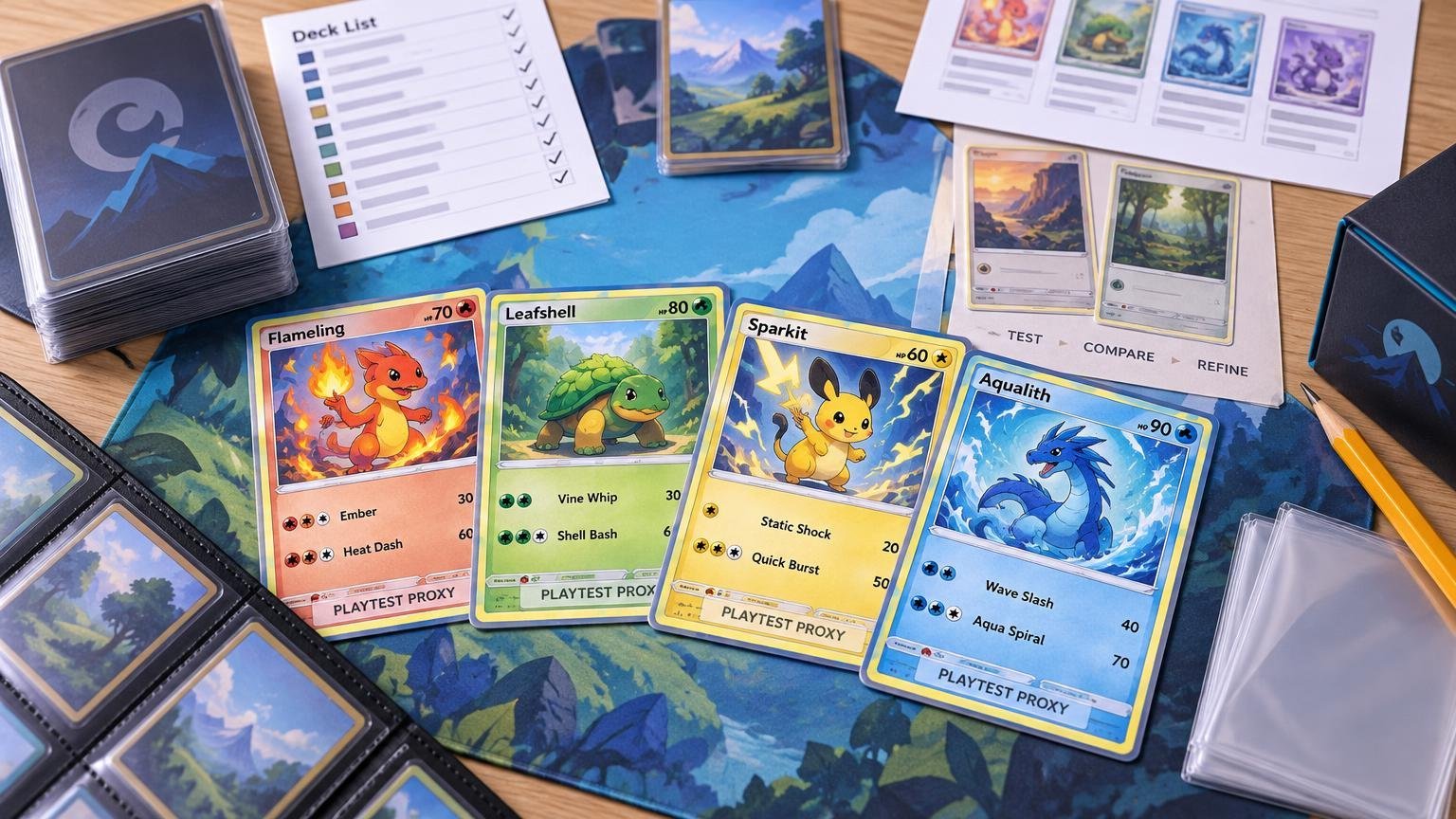
TLDR
A Pokémon proxy generator turns card names or a formatted deck list into card images, printable sheets, or simple placeholders. It does not necessarily print or ship physical cards. For useful testing, select the correct printings, inspect every card face, print at actual size, sleeve the cards consistently, and label them clearly as unofficial test copies. Proxies are for casual play and testing with permission, not normal tournament use.
What a Pokémon proxy generator actually generates
The phrase “Pokémon proxy generator” covers several tools that solve different problems. Choosing the wrong kind can leave you with a beautiful deck-list graphic when what you needed was a printable sheet.
| Tool type | Typical output | Best use |
|---|---|---|
| Proxy printer or sheet generator | Printable card faces arranged on pages | Making sleeved paper inserts for tabletop testing |
| Deck-list image generator | One shareable image showing the cards in a list | Posting, discussing, or reviewing a deck online |
| Text placeholder generator | Simple cards with names and essential game information | Fast testing with minimal ink |
| Custom-card creator | An original layout with user-entered text or artwork | Fan designs and clearly unofficial custom projects |
For example, Limitless TCG’s tools page separates its Proxy Printer from its Image Generator. The former produces card images for testing and casual play; the latter converts a written deck list into a shareable image. Those outputs may start with the same list, but they are not interchangeable.
Other utilities accept Pokémon TCG Online or Pokémon TCG Live-style deck lists. Proxycroak, for example, supports pasted lists, manual card searches, picture output, and text-only output. The important question is not simply whether a tool “generates proxies,” but whether its output is suitable for printing, sharing, or designing an original placeholder.
Start with a clean, legal-shaped deck list
A normal constructed Pokémon TCG deck contains exactly 60 cards, includes at least one Basic Pokémon, and generally allows no more than four cards with the same name, excluding Basic Energy. Pokémon’s deckbuilding introduction explains that baseline. A generator may process an incomplete or malformed list without understanding whether the resulting deck can actually be played.
Use a consistent list format with quantities and card names. Add set codes and collector numbers when the tool supports them. Limitless notes that a name-only entry may select the newest printing, while a set code and card number can identify the intended version. That distinction matters when an older printing has different wording, artwork, regulation marks, or an erratum.
If you are unsure which card you need, the official Pokémon TCG database instructions describe searches by card name, keyword, card type, Energy type, Evolution stage, expansion, and legal format. Format legality changes over time, so confirm it separately rather than assuming that a successful image lookup means a card is Standard-legal.
A reliable deck-list-to-proxy workflow
- Export or write the complete deck list. Keep quantities, exact names, set codes, and card numbers wherever possible.
- Paste the list into a proxy-sheet tool. If a line fails, search for that card manually instead of silently dropping it.
- Review the generated faces before downloading. Check the artwork, card name, HP, attacks, Abilities, Trainer text, Energy requirements, and regulation mark.
- Choose picture or text mode according to the test. Full images are faster to recognize during play; text placeholders use less ink and make their unofficial status obvious.
- Generate the printable file and inspect every page. Confirm that no cards are missing, duplicated unexpectedly, cropped, stretched, or split across page boundaries.
- Print one test page using actual-size or 100% scaling. Disable options such as “fit to page” when they alter card size.
- Cut consistently, place each paper face in front of an ordinary backing card, and use opaque sleeves throughout the deck.
- Count the finished deck again. Then run several games and record which cards are stranded in hand, overdrawn, hard to find, or repeatedly missing when needed.
Paper inserts are especially convenient while quantities are changing because a new list only requires replacing a few faces. The comparison of paper inserts and full-card Pokémon proxies covers when a more durable substitute becomes worthwhile.
Check the file before spending ink
The most expensive proxy-generation error is rarely the tool itself. It is printing several pages before noticing that every copy of a key card is the wrong version.
- Count cards in the source list, generated preview, downloaded file, and finished deck.
- Inspect repeated cards individually; one odd set code can produce a mismatched printing.
- Check small rules text at normal viewing distance rather than relying on a zoomed-in screen.
- Keep borders and cuts consistent so no card can be identified from its edge or thickness.
- Use the same backing-card and sleeve setup for every proxy in the deck.
- Write “Proxy,” “Test Copy,” or “Casual Only” on each insert without covering gameplay information.
Clear marking prevents test cards from drifting into a trade binder or being mistaken for authentic cards. For a more complete labeling and organization checklist, see how to keep Pokémon proxies easy to recognize.
A generator is not a printer
A generator prepares digital output. A printer turns that output into a physical object. The printer might be your home inkjet or laser printer, a local print shop, or a card-production service. Generating a PDF does not establish that any commercial printer will accept it, reproduce the intended size, offer custom backs, or manufacture cards from arbitrary Pokémon images.
That distinction also applies to storefronts. A catalog of finished custom-made cards is not automatically a deck-list parser or an image-upload service. Before ordering, verify whether the seller accepts a pasted list, whether you must select existing products individually, and whether it produces paper sheets or complete card substitutes.
For a list that changes every few games, a home-printed paper insert is usually the more flexible choice. Once the list stabilizes, a durable full-card substitute may be more convenient for repeated casual sessions or a Cube. The goal is not to make a test card pass as genuine; it is to make gameplay smooth enough that you can evaluate the deck.
Use proxies to test decisions, not just opening hands
A generated deck becomes useful when the games answer specific questions. Track whether your opening setup is reliable, whether Evolution lines clog your hand, whether search cards reach the correct pieces, and whether Energy counts support the attacks you intend to use. Change a few cards at a time so you can tell what actually improved.
The broader Pokémon proxy deck-testing workflow explains how to tune a list before buying genuine copies. A generator handles the repetitive image preparation; it cannot decide whether a two-card tech package earns its space.
Keep generated proxies in casual play
Ask the other player or organizer before using unofficial cards, and remove them before sanctioned competition. Play! Pokémon tournament rules prohibit player-made proxies except for a narrow damaged-card procedure in which a judge creates the proxy and the original damaged card remains available. Premier Events also require accurate, legible deck lists and permit deck checks. The Play! Pokémon tournament rules provide the governing policy.
The best Pokémon proxy generator is therefore the one that produces the output your test requires: accurate card faces, readable placeholders, or a shareable deck image. Feed it a precise list, verify every printing, mark the result clearly, and let the games—not the generated artwork—tell you what deserves a place in the final deck.