
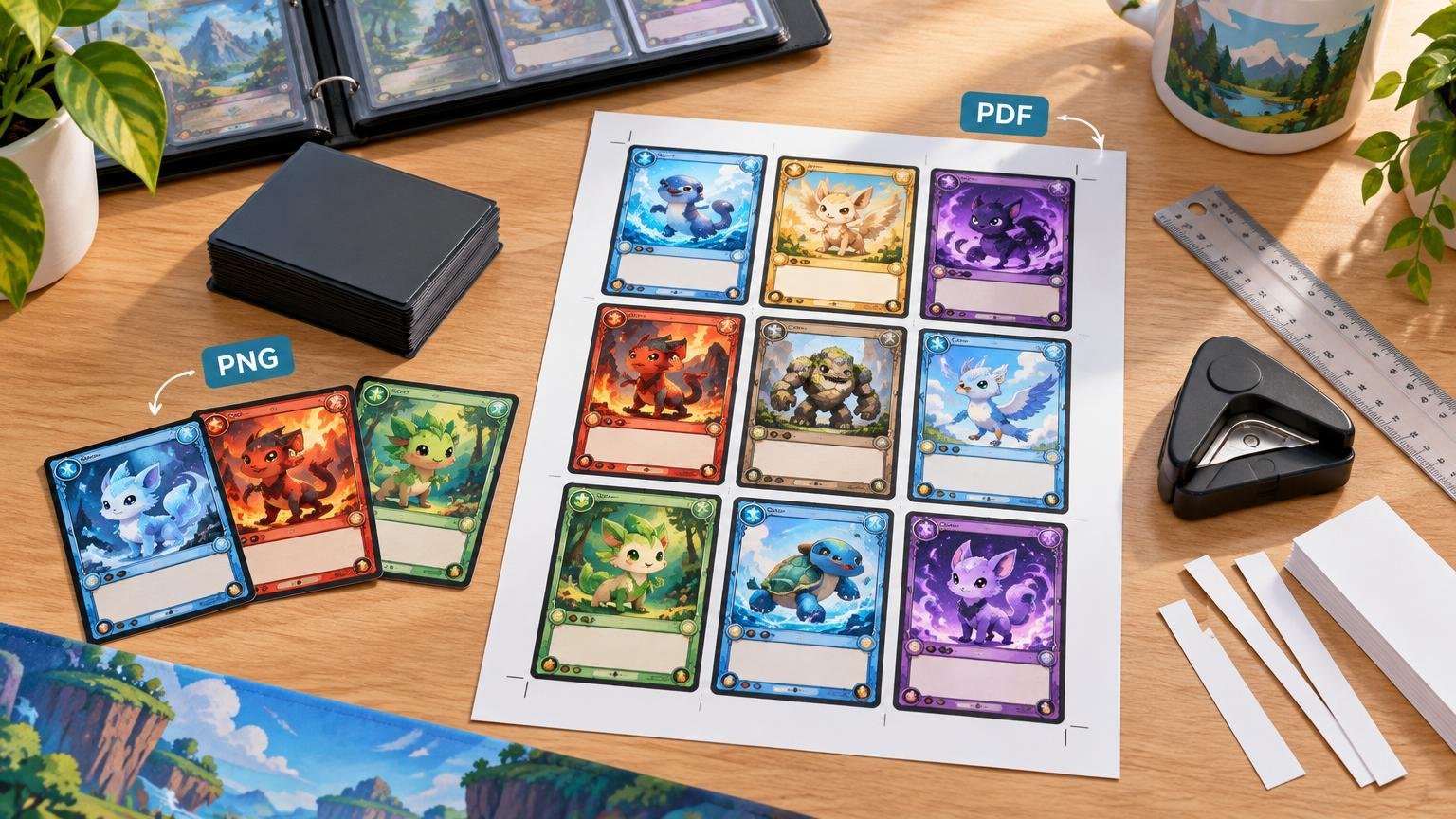
For Pokémon proxy printing, PNG is usually the better format for individual card images, while PDF is better for assembled pages that are ready to print. You do not have to choose one format for the entire project: a clean workflow can begin with separate PNG card faces and end with a multi-card PDF print sheet.
The format is only one part of the result. Image resolution, final size, page scaling, bleed, printer settings, trimming, sleeves, and backing cards can all matter more than whether the filename ends in .png or .pdf.
TLDR
Keep your master card faces as high-resolution PNG files when you want one image per card, lossless compression, or transparent backgrounds. Assemble those images into a PDF when you want fixed pages, repeatable sheet layouts, or one convenient deck file. Before printing the entire deck, print one test page at 100% or actual size and measure the result.
| Need | Better starting format | Why |
|---|---|---|
| One reusable card-face image | PNG | Stores one static raster image and supports lossless compression and transparency. |
| A page containing several cards | Packages an assembled layout into a convenient page or multi-page document. | |
| Transparent artwork or cutout elements | PNG | Supports alpha transparency natively. |
| A file to send to a print provider | Printer-dependent | Many providers accept print-ready PDFs, but some workflows also accept high-resolution PNG files. |
| Best practical workflow | PNG, then PDF | Retain separate source images and use PDF for final page assembly. |
Use PNG for individual Pokémon card images
PNG is a raster image format, meaning the image consists of pixels. The format uses lossless compression and supports alpha transparency, while a standard PNG contains one static image. Those traits make it a sensible master format for individual card faces. The technical details are documented in the W3C PNG specification.
Separate PNG files are especially useful when you expect to revise quantities or reuse cards. If testing changes your list from three copies of a Trainer to four, you can adjust the page layout without recreating the card image. The same library can also feed a Cube update, a smaller matchup-testing package, or a replacement page.
Lossless compression preserves the stored image data, but it does not rescue a weak source. A tiny or blurry card image remains tiny or blurry after conversion to PNG. Full-color artwork can also make PNG files relatively large, so a deck folder may be less convenient to transfer than one assembled PDF.
Transparency is another reason to retain PNG masters. It can be useful for custom frames, symbols, or artwork that must sit over a background during layout. For an ordinary rectangular card face, however, transparency is not automatically beneficial. An accidentally transparent edge can expose the page underneath and produce a pale or uneven border in print.
Use PDF for multi-card sheets and deck files
PDF becomes more useful after the individual cards are ready. It can package several card images on a page and several pages in one document. Adobe Acrobat can combine image files into a PDF and allows the resulting pages to be reordered, illustrating why PDF works well as a delivery format for an assembled deck. Adobe’s file-combination documentation explains that process.
A PDF sheet gives you control over card placement, margins, spacing, page orientation, and copy counts. It also reduces the risk that somebody receiving the project will print every image as a separate full page. For a large testing list or Pokémon Cube, one organized PDF is generally easier to inspect and print than a folder containing dozens of unrelated files.
Do not assume that PDF means print quality. A PDF can contain excellent high-resolution images, or it can contain heavily downsampled images originally prepared for email. Adobe’s presets apply different compression and downsampling choices: its Smallest File Size preset targets web or email distribution, while Press Quality is intended for higher-quality print workflows.
That distinction matters when a card image looks crisp before export but its rules text becomes soft in the finished PDF. Inspect the exported document at high zoom and, more importantly, print a test page. If the export settings reduced the images, assembling the cards perfectly will not restore the lost detail.
Resolution matters more than the extension
Resolution should be evaluated at the card’s intended printed size. Stretching a small image to fill a card slot spreads its available pixels over a larger physical area, making text, set symbols, Energy icons, and fine illustration details less distinct.
About 300 pixels per inch is a useful estimate for images printed on a digital press, according to PRINTING United Alliance, although the organization stresses that the correct target depends on the press and provider. Treat 300 ppi as a practical starting point rather than a universal guarantee.
For home testing, readability is the priority. You should be able to identify the card, read its attacks and Abilities, check costs, and distinguish similar Trainer cards without repeatedly picking them up. A sharp illustration attached to muddy rules text is not a successful playtest file.
Prepare the artwork at final size instead of relying on the print dialog to correct it. If a professional provider will trim edge-to-edge cards, ask about its required bleed, safe area, page size, color mode, and accepted file type. The supplied artwork guidance for Printiverse custom printing and print-production resources likewise lists final-size artwork, adequate resolution, bleed for edge-to-edge designs, and safe placement for important text as core setup considerations.
Transparency and compression can change during PDF export
PNG supports transparency natively, but PDF transparency handling depends on the export workflow. Adobe describes PDF/X-1a as a print-production option that flattens transparency, while its Press Quality preset preserves transparency. That does not make either choice universally superior; it means you should follow the receiving printer’s specification instead of selecting a preset because its name sounds professional.
For simple home-printed proxy sheets, flattening is rarely the central question. Scale, sharp text, consistent borders, and predictable page placement matter more. For custom cards with layered effects or transparent frame elements, inspect the exported PDF for white boxes, missing shadows, altered edges, or unexpected color before approving the layout.
A reliable PNG-to-PDF workflow
- Collect the highest-quality card-face images available and keep each card as a separate, clearly named PNG.
- Create a page matching the paper size you will actually use. Leave enough space between cards for trimming and enough margin for the printer’s non-printable area.
- Place the cards at their intended final size. Duplicate cards in the layout rather than repeatedly resizing new copies.
- Add bleed only when the production method requires edge-to-edge trimming. Keep names, rules text, symbols, and other essential details inside a safe area.
- Export a print-oriented PDF without unnecessary downsampling. Do not use a smallest-file preset merely to reduce upload size.
- Open the exported PDF and check every page for missing images, shifted cards, transparency errors, clipped edges, and incorrect quantities.
- Print one test page using 100% or actual-size output. Disable settings such as fit to page or shrink oversized pages unless scaling is intentional.
- Trim one card and place it in the sleeve and backing setup you plan to use. Only print the complete project after the test fits and remains readable.
If you are starting from a deck list rather than finished images, the Pokémon proxy generator guide explains the difference between printable card faces, sheets, and shareable deck-list graphics. A deck image designed for posting online is not necessarily suitable for cutting into individual playtest cards.
Match the file to the printer
A home printer and a commercial print provider do not necessarily want the same deliverable. At home, a normal page-sized PDF is often convenient because it preserves the assembled sheet. You still need to confirm paper size, orientation, scale, and whether the printer driver adds margins.
A provider may request a press-optimized PDF with particular bleed and color settings, or it may accept high-resolution PNG artwork through an upload interface. Requirements such as a specific PDF standard, trim box, bleed box, crop marks, embedded fonts, or CMYK assets belong to the individual production workflow; they should not be assumed for every printer.
- Ask whether the provider wants one image per card or an assembled sheet.
- Confirm accepted file formats and maximum upload size.
- Confirm final dimensions, bleed, safe area, and whether crop marks are wanted.
- Ask whether the provider performs page assembly or expects a finished layout.
- Confirm color-mode and PDF-preset requirements instead of converting automatically.
- Request or produce a proof before committing to a large Cube or deck project.
Do not ignore physical deck consistency
A technically clean file can still make an awkward testing deck. For paper inserts, print at actual size, trim consistently, and sleeve each insert over the same kind of bulk or backing card. Uneven edges, shifting paper, curl, or inconsistent thickness can make cards identifiable from the back, especially under bright side lighting. A face-down shuffle check can reveal those differences before a game.
That physical check is separate from image quality. PNG versus PDF affects storage and page preparation; sleeves, backing cards, trimming, and construction affect how the finished deck handles. For a fuller testing process, use the Pokémon proxy deck-testing guide to track opening hands, setup reliability, dead cards, and matchup performance rather than judging the list from one game.
Keep proxies in the right play setting
Home-printed proxies are appropriate for private testing and other settings where the participants agree to use them. Official tournament policy is much narrower. The Play! Pokémon Rules & Resources page directs players to the tournament handbook, and the supplied handbook describes a judge-controlled proxy exception for a card that becomes damaged and marked during an event. That is not general permission to enter with player-produced proxies. Review the current policy before attending an organized event, and see the Pokémon proxy rules and etiquette guide for the practical distinction between casual testing materials and authentic cards.
The verdict: keep PNG masters and print from PDF
For most Pokémon proxy projects, the strongest answer is not PDF or PNG. It is PNG first, PDF second. Use high-resolution PNG files as your reusable one-card assets, then assemble them into a print-ready PDF for predictable pages and easier deck handling.
Choose PNG alone when a tool or printer wants individual card images. Choose PDF alone when you have received a correctly assembled sheet and only need to print it. In either case, verify resolution at final size, use the printer’s requested settings, print at actual size, and test one page before committing paper, ink, or an entire afternoon to trimming.
References
- Portable Network Graphics (PNG) Specification (Third Edition)
- Combine files into one PDF in Acrobat | Adobe Acrobat
- Adobe PDF presets in Illustrator | Illustrator
- How much resolution is enough for images printed on my digital press?
- Artwork & File Setup Guide – Printiverse
- Digital File Specifications
- Inside the PDF: Understanding Page Boxes, Metadata, and File Structure
- Pokemon proxy cards: what they are, rules, and etiquette – pokemonproxy.co
- Paper Inserts vs Full Card Proxies for Pokémon Deck Testing – pokemonproxy.co
- Play! Pokémon Rules & Resources | Pokemon.com
- Play! Pokémon